
Download SysTools MSG Converter – MSG to PST converter, email migration, Outlook conversion, batch email conversion, convert MSG to PST
Overview
SysTools MSG Converter is a specialized utility designed for users seeking to migrate email data from MSG files to the PST format used by Microsoft Outlook. This application addresses a common challenge faced by individuals and organizations managing legacy email archives, particularly those transitioning from older email systems or recovering data from exported MSG files. The software enables efficient and accurate conversion, preserving all critical email attributes such as sender and recipient details, timestamps, attachments, and formatting. Its primary purpose is to streamline the process of integrating MSG-based email data into Outlook’s structured environment, ensuring continuity in personal and professional communication workflows.
Target users include office professionals, IT administrators, and data recovery specialists who handle large volumes of archived emails. The app is particularly beneficial for organizations undergoing email system upgrades or those managing historical correspondence that must remain accessible. By supporting batch conversion, it reduces the manual effort required to process hundreds or thousands of individual files. The developer, SysTools Software, has positioned this tool within the productivity category, emphasizing its role in enhancing data portability and workflow efficiency. Although the developer did not provide additional technical details, the app’s focus on compatibility with all Outlook versions and support for multiple export formats underscores its utility in diverse email management scenarios.
Key Features & Functionality
- Batch Conversion Support: Users can process multiple MSG files simultaneously, drastically reducing the time required for large-scale email migrations. This is especially useful when transferring data from older systems or backup archives.
- Advanced Filtering Options: The software allows selective conversion based on date range, subject, and sender. This feature enables users to extract only relevant emails, minimizing clutter and improving data organization.
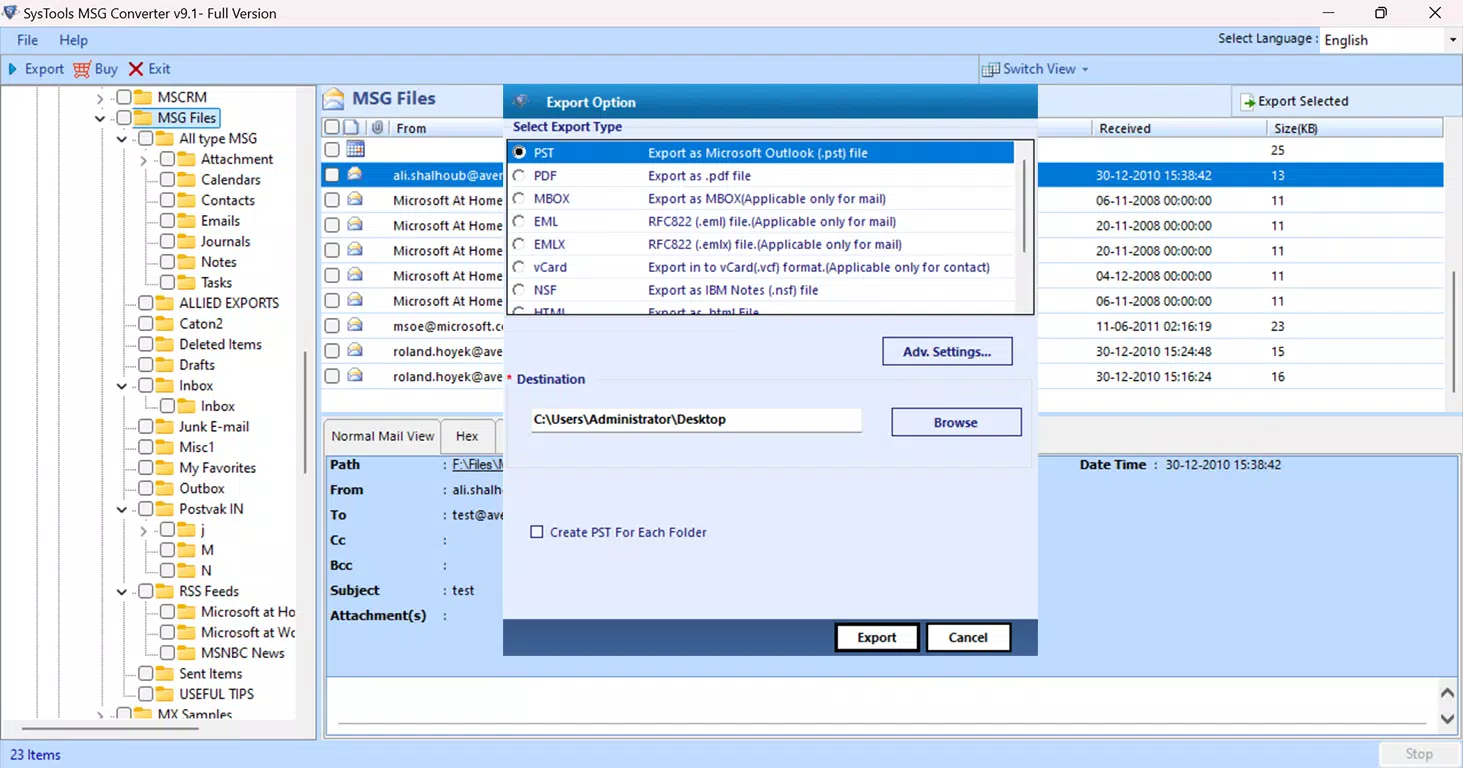
- Comprehensive Format Compatibility: In addition to PST, the tool supports export to EML, MBOX, PDF, and HTML formats. This flexibility ensures data can be used across different platforms and email clients, enhancing interoperability.
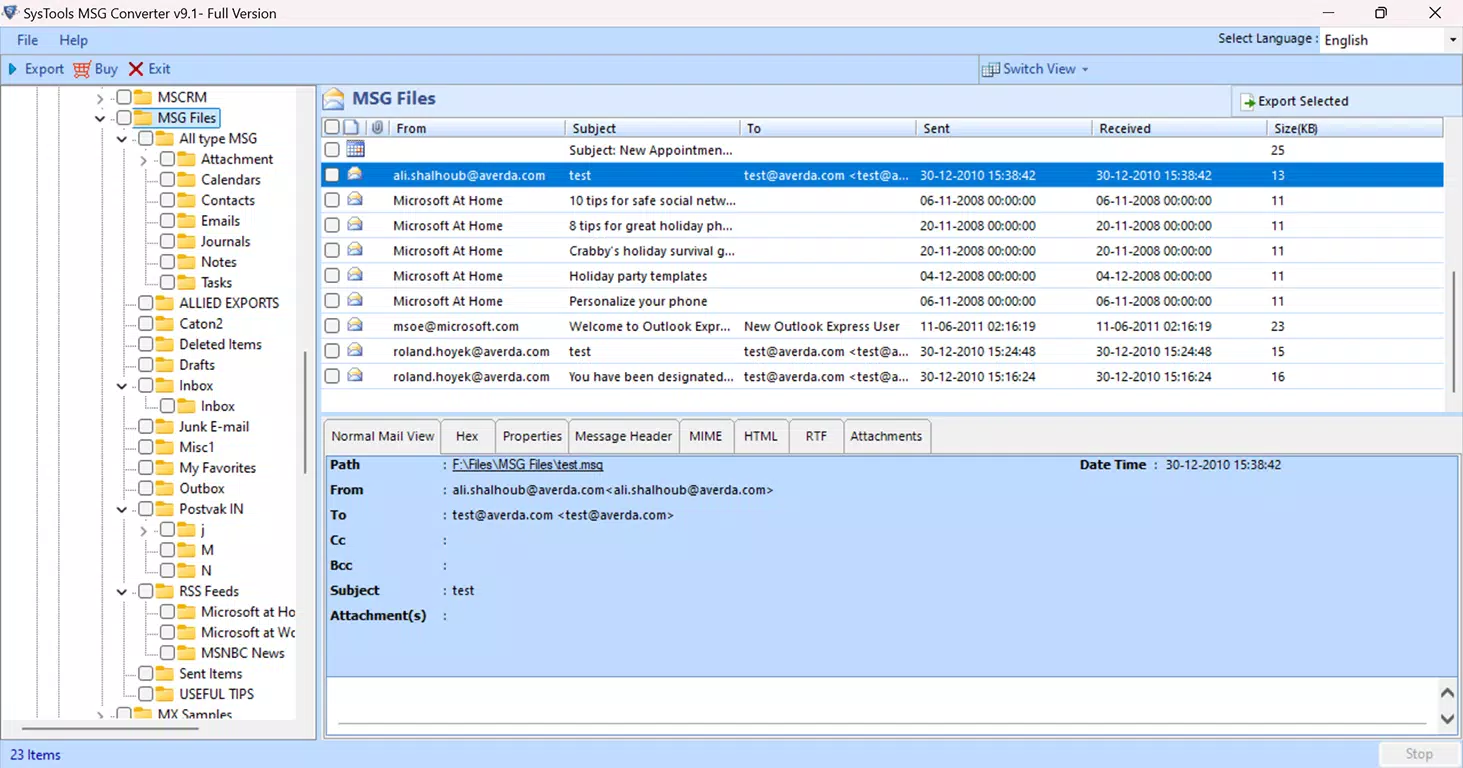
- Intuitive User Interface: Designed with usability in mind, the interface is accessible to both technical and non-technical users. Navigation is straightforward, allowing quick setup and execution of conversion tasks without requiring in-depth knowledge of file formats.
- Data Integrity Preservation: All original email metadata—including attachments, formatting, and timestamps—are retained during conversion. This ensures that the converted data remains accurate and fully functional within Outlook.
For example, an IT administrator managing a company-wide email migration can use the filtering feature to extract only emails from a specific project team within a defined time frame. The batch processing capability then allows the entire dataset to be converted and imported into Outlook with minimal intervention. Similarly, a legal professional archiving case-related correspondence can export critical messages to PDF for secure documentation, while retaining the original MSG structure for future reference.
Interface, UX & Performance
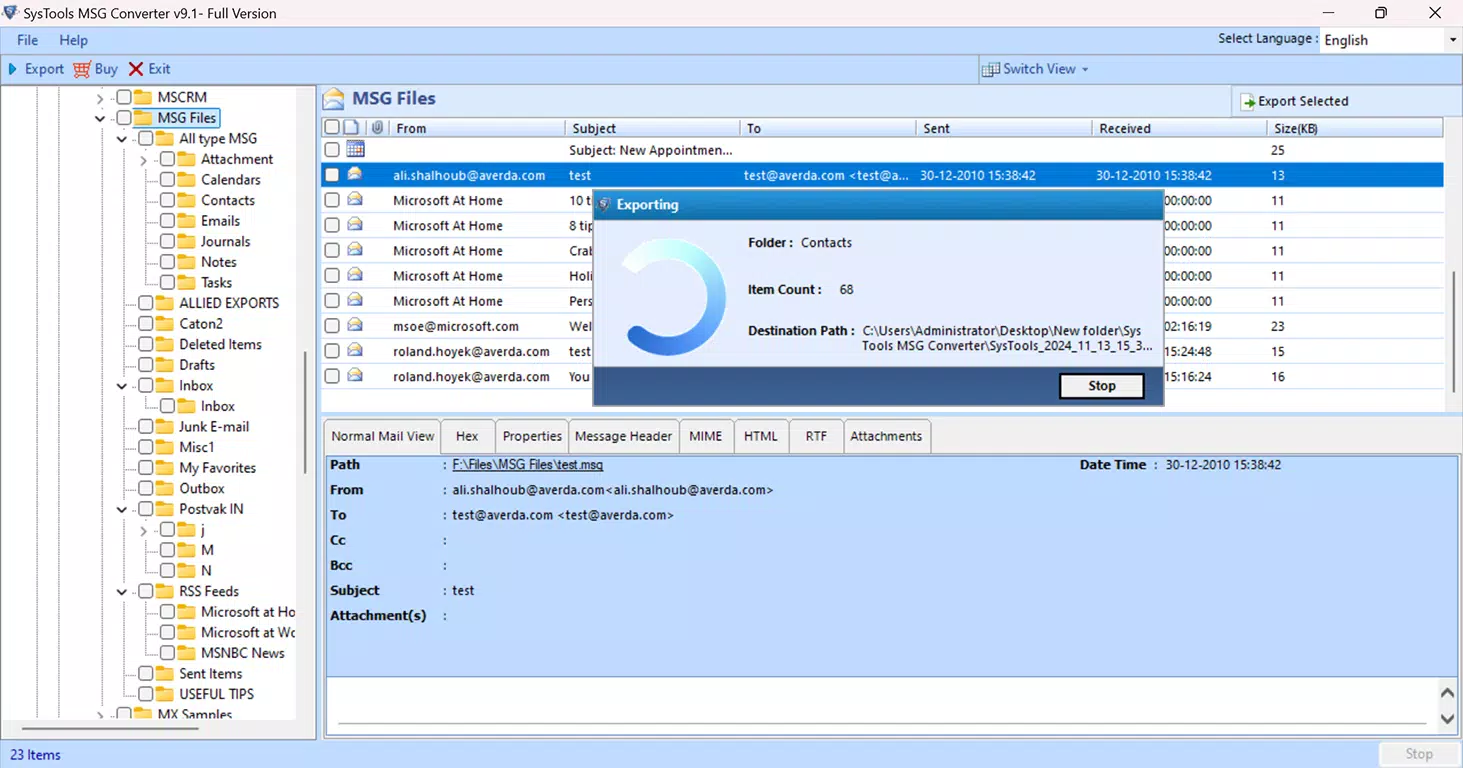
The user interface of SysTools MSG Converter is designed with clarity and functionality in mind. The layout is clean and logically organized, with clearly labeled buttons and progress indicators for each conversion task. Navigation is linear and intuitive, guiding users through the file selection, filtering, and export configuration steps without unnecessary complexity. Visual feedback is provided during processing, helping users monitor conversion status in real time.
Although the developer did not list formal performance metrics, the software is optimized for handling large batches efficiently. Users can expect stable operation during extended conversion sessions, with minimal risk of crashes or data corruption. Responsiveness is maintained across different device categories, though specific hardware requirements were not disclosed.
The application performs reliably on standard Windows systems, ensuring consistent results regardless of the user’s technical background. Stability is further supported by the software’s focus on data integrity, which minimizes errors during file processing. Overall, the UX is streamlined to reduce learning curves and support rapid deployment in both personal and enterprise environments.
Platform Compatibility & Technical Requirements
SysTools MSG Converter is designed exclusively for the Windows platform. It is compatible with all major versions of Microsoft Outlook, ensuring broad applicability across different organizational setups. The software has a file size of 3.5 MB, indicating a lightweight footprint that should not strain system resources during installation or operation. The current version is 2.0, suggesting ongoing development and updates to improve functionality and compatibility.
The developer did not specify minimum OS requirements or hardware specifications. As such, users should ensure their system meets general Windows compatibility standards. The app is not available on mobile platforms such as Android or iOS, limiting its accessibility to desktop environments. For users seeking to install or update the software, the latest version is available through the official developer channel. Compatibility with future Outlook releases or Windows updates was not explicitly confirmed.
Pros and Cons
Pros
- Efficient batch conversion of multiple MSG files
- Supports multiple export formats including PST, EML, MBOX, PDF, and HTML
- Preserves all email metadata, attachments, and formatting
- Intuitive interface suitable for non-technical users
- Advanced filtering options for selective data conversion
Cons
- Available only for Windows, not compatible with mobile or macOS platforms
- Price point of $49.00 may be high for individual users
- Specific system requirements were not listed
- Not available on Android or iOS app stores
- Requires manual installation and setup
FAQ
Is SysTools MSG Converter safe to download and install?
The software is developed by SysTools Software, a known provider of email management tools. While no third-party verification was provided, the app is distributed through official channels and does not require root access or unusual permissions.
Can I convert MSG files to formats other than PST?
Yes, the software supports export to EML, MBOX, PDF, and HTML formats, offering flexibility for users who need to share or archive data across different platforms.
Is there a free version available?
No, the app is a paid tool with a one-time purchase price of $49.00. There is no free trial or freemium model mentioned in the provided details.
Does the software work with all versions of Outlook?
Yes, the developer states that the tool is compatible with all versions of Microsoft Outlook, ensuring broad usability across different organizational environments.
How often are updates released?
The current version is 2.0, but the frequency of updates was not disclosed. Users are advised to check the official website for the latest release information.
Final Thoughts
SysTools MSG Converter stands out as a reliable and efficient solution for users tasked with migrating email data from MSG to PST format. Its batch processing capabilities, combined with advanced filtering and multi-format export options, make it a powerful tool for both individual users and IT teams managing large-scale data transitions. The emphasis on data integrity ensures that no critical information is lost during conversion, which is essential for compliance and record-keeping purposes.
While the software is limited to Windows and carries a premium price tag, its robust feature set and user-friendly design justify the investment for professionals who rely on accurate email management. The lack of mobile availability may be a drawback for some, but its desktop-focused functionality remains highly effective for its intended audience.
For anyone needing a dependable tool to convert MSG files with precision and speed, SysTools MSG Converter delivers a strong value proposition. Download SysTools MSG Converter now.


